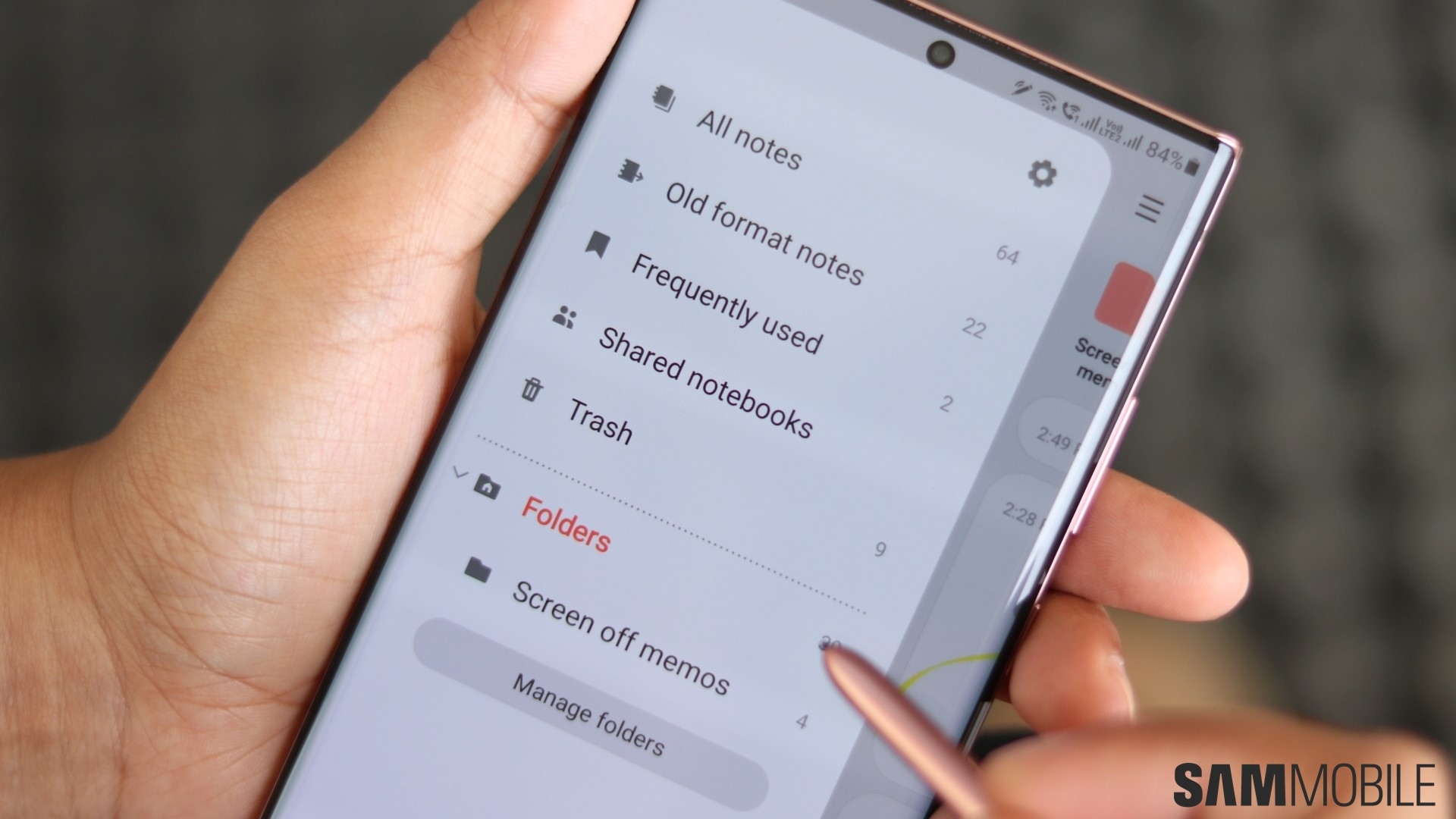
Samsung Notes fonts have become a focal point of user feedback as Samsung considers a long-requested feature that could significantly expand how people customize their notes. Samsung Notes already ranks among the most feature-rich note-taking apps on Android, yet some long-standing requests remain unresolved. Now, a recent exchange on the Samsung Community forum suggests that change may finally be coming.
The discussion began when a Galaxy user asked Samsung to support third-party fonts inside Samsung Notes. According to the user, broader font access would make it easier to organize content visually, especially when using notes for different purposes such as work, study, or creative writing. In response, a Samsung Notes manager acknowledged the request and confirmed that the company is actively considering the feature for a future update.
This response marks one of the clearest signals yet that Samsung is listening closely to feedback around text customization. While no timeline has been shared, the acknowledgment alone has renewed interest in how Samsung Notes might evolve.
Samsung Notes fonts request gains official attention
Samsung rarely comments publicly on specific feature roadmaps. Therefore, the response from a Samsung Notes manager stands out. The manager apologized for the absence of third-party font support and explained that Samsung has been reviewing the idea internally.
According to the response, copyright concerns have played a major role in delaying the feature. Many third-party fonts come with restrictive licenses, which could expose Samsung to legal risks if fonts are redistributed or embedded improperly within the app. As a result, Samsung has taken a cautious approach.
However, the company’s willingness to reconsider suggests it may be exploring technical or legal safeguards. These could include limiting font usage to locally installed files or requiring users to manage licenses themselves. If implemented carefully, Samsung Notes fonts could expand without violating intellectual property rules.
Why font customization matters to users
Font choice plays a larger role in productivity than it might seem. Different fonts help users visually separate headings, body text, annotations, and personal notes. Therefore, limited font options can restrict how effectively users organize information.
Students often rely on visual hierarchy when revising notes. Professionals, meanwhile, use typography to distinguish meeting notes from action items. Creative users also value fonts for brainstorming and storytelling. Consequently, adding third-party font support could broaden the app’s appeal.
Samsung Notes already supports handwriting, drawing, audio notes, and PDF annotation. Expanding font options would strengthen its position as a comprehensive productivity tool rather than a simple note pad.
Read Also
Apple’s first foldable iPhone: what we know so far
Samsung Galaxy S26 Ultra design leaks reveal new features
Galaxy Watch 9 Ultra 2 and Tab S12 devices confirmed
Other features users want in Samsung Notes
The request for Samsung Notes fonts is only one part of broader feedback from the community. Users have consistently asked for several additional features aimed at improving usability and precision.
One popular request involves adding table support. Many users want to structure information in rows and columns without switching to external apps. Improved undo and restore controls for sticky notes also rank high on the list, especially for users who rely on quick notes during meetings.
Page-turning support is another frequently mentioned feature. Users say this would make long notes feel more like digital notebooks. In addition, better file sorting tools could help manage growing note libraries, particularly for long-term users.
More precise rotation controls for lines, images, and shapes have also been requested. Currently, small adjustments can be difficult, which affects diagrams and visual notes. Adjustable letter spacing has appeared in multiple suggestions as well, reflecting demand for finer text control.
Finally, users have asked for the ability to split a single file across multiple screens. This feature would benefit tablet and foldable users who want to reference different sections of the same note simultaneously.
Samsung’s cautious but responsive approach
Samsung’s response suggests a balance between innovation and risk management. While the company recognizes user demand, it must also ensure compliance with licensing laws and maintain app stability across devices.
Historically, Samsung has rolled out Notes features gradually. For example, handwriting improvements, PDF markup tools, and cross-device syncing all arrived through staged updates. Therefore, Samsung Notes fonts support, if approved, may first appear in limited form.
The company may also test the feature through beta channels before a wider release. This approach would allow Samsung to assess performance, compatibility, and legal safeguards without committing fully.
How third-party fonts could work
If Samsung moves forward, several implementation paths are possible. One option involves allowing users to import fonts already installed on their devices. Another approach could restrict usage to fonts downloaded through approved font providers.
Samsung could also add warnings or license confirmations during font import. While this adds friction, it reduces liability. As a result, users gain flexibility while Samsung maintains compliance.
Any solution would need to work seamlessly across phones, tablets, and PCs where Samsung Notes syncs content. Therefore, cross-platform consistency will likely influence design decisions.
What to expect next
At this stage, Samsung has not confirmed when or if the feature will arrive. However, the public acknowledgment alone signals a shift. Samsung Notes fonts have clearly moved from a simple suggestion to an item under active consideration.
Future Samsung Notes updates may bundle font support alongside other quality-of-life improvements. Even if third-party fonts arrive later, smaller enhancements could appear sooner.
For now, users will need to wait. Still, the conversation shows that Samsung continues to treat its community as a meaningful source of direction. As competition among productivity apps intensifies, responsiveness may prove just as important as innovation.
Read Also
Meta expands premium subscriptions amid revenue diversification
Social media addiction trial raises pressure on tech firms
Netflix and Warner Bros signal new phase in streaming rivalry